Topaz Photo ‘Wonder v3.5’ Review
Topaz Photo 1.7.0 has introduced ‘Wonder v3.5’ for a 1-click answer to enhancing photos. This AI algorithm combines denoise, sharpen, upscale, and minor lighting adjustments.

Wonder dialog
The ‘Wonder 3.5’ algorithm can now be selected from a drop-down menu of all of the Wonder versions. You can upscale up to 4X or customize the size. There are 3 strength adjustments, and you can either process the image locally or in the cloud.
The Wonder v3.5 will automatically apply some lighting adjustments, but it’s usually pretty subtle. Unlike other Topaz filters, you can’t select the mask to use for adjustments.
All of the things that Wonder does can be accomplished individually, by manually selecting separate algorithms instead.

Before (left side) and After (right side)
Wonder v3.5 is slow. My computer has the NVIDIA GeForce RTX 3080 GPU, which has 8704 cores in it. Most Topaz features finish in a few seconds. The Wonder algorithm typically takes about 3 minutes and sometimes over 10 minutes to complete!
On average scenes, using the Medium strength enhancements and no upscaling, the results look just fine. There’s no way to know which kind of sharpening algorithm is being used, but it seems fairly conservative.
If needed, you can do further enhancements after Wonder finishes, such as object removal.
I give Topaz Photo raw photos, and it exports DNG output files (other formats can be selected). In this way, quality is maintained.

Capture One was used for additional enhancements
In the photo above, I took the DNG-format results from Topaz and did some more tonal and saturation adjustments inside Capture One. Topaz Photo can only do minimal lighting adjustments, so I always do extra editing in other programs.

Siemens Star using Wonder with Medium enhancement, 2X upscale
I tried photographing a Siemens Star from a long distance, where the camera sensor causes terrible aliasing and can’t sufficiently resolve the chart detail. The Wonder v3.5 didn’t do a very good job of enhancement and upscaling, when compared to using the separate Topaz upscaling ‘Standard MAX’ algorithm.

Siemens Star using ‘Standard MAX’, 2X upscale

A very high-contrast shot
Processing a really high-contrast shot with the Wonder v3.5 Medium enhancement at 1X upscale, it did an unacceptable job on the sky and left it looking blotchy. This shot took 2 minutes and 20 seconds to finish, which is fairly typical for Wonder.

Wonder v3.5, Medium (left) versus Standard sharpening (right)
The Wonder v3.5 compared to the Topaz ‘Standard’ sharpening looked just about the same. Since I was able to have a ‘subject’ mask using the Standard sharpening, there’s none of the splotchy sky found in the ‘Wonder’ processing.
The Wonder Medium 1X processing took 3m30s, whereas the ‘Standard’ sharpening took under 3 seconds!

Wonder ‘High’ enhancement strength
Trying out the ‘High’ enhancement algorithm, it took 10 minutes to finish. It still left a splotchy sky. Ugh.
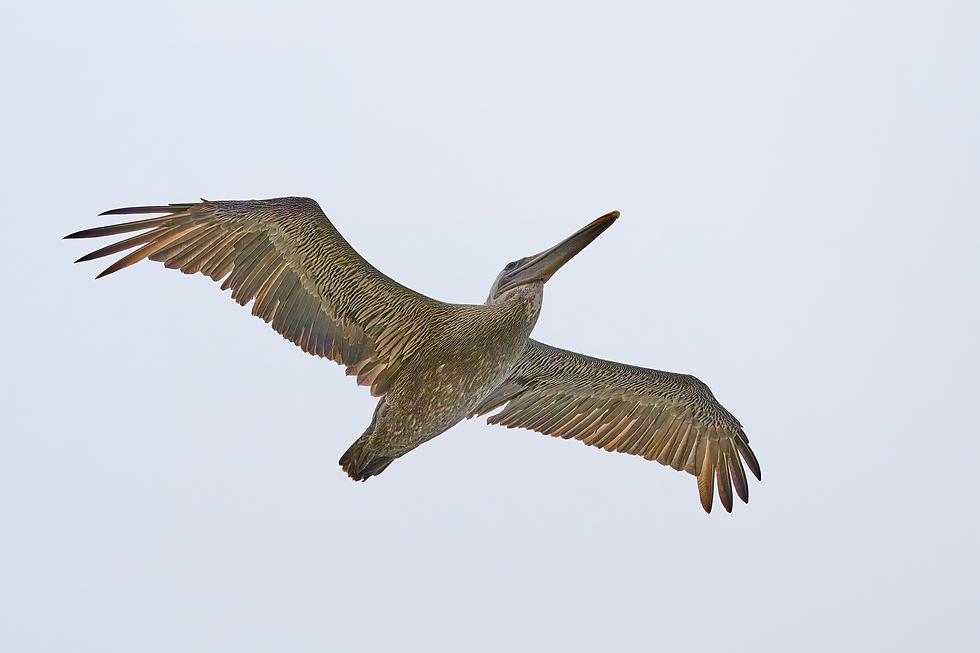
Topaz ‘Standard’ sharpening plus Capture One enhancements
By exporting the shot from Topaz into Capture One, I was able to enhance the shadows/black/exposure to show what Topaz alone could not. I used my Nikon Z8 and the Nikkor Z 24-120mm f/4S at 120mm, 1/5000s f/7.1 ISO 200 for the shot.
I really love using Topaz Photo, but I don’t love Wonder v3.5. It feels like it takes forever to complete its job, and I can get as-good or better results using the other Topaz sharpening and upscaling algorithms instead, in a fraction of the time.


오랜 시간 이동한 뒤에는 조용한 공간에서 몸과 마음을 쉬게 하는 것이 중요합니다. 서비스를 알아볼 때는 업체의 전문성과 위생 관리 방침, 프로그램 출장마사지 구성을 살펴보세요. 무리한 활동을 피하고 충분히 수분을 섭취하며 휴식하는 습관도 건강한 일상을 유지하는 데 도움이 됩니다.
이용 과정이 간단하고 업무 설명이 명확해서 부담 없이 시작할 수 관련 후기도 많아 참고하기 유흥알바 좋았고 실제 근무 환경도 설명과 비슷해 만족스러운 경험이었습니다.
하루 일과가 늦게 끝나는 분들에게는 저녁 이후 가능한 근무 정보가 유용할 수 있습니다. 알아볼 때 근무 시작과 종료 시간, 업무 내용, 이동 거리를 밤알바 함께 살펴보면 선택하기 편합니다. 개인 일정과 체력에 맞춰 적절한 시간을 정하는 것이 꾸준히 활동하는 데 중요합니다.
편안한 환경에서 휴식을 계획하는 분이라면 서비스별 특징을 비교해 보는 것이 좋습니다. 이동 부담을 덜어주는 방식으로 수원출장마사지 이용할 수 있으며, 예약 시간 준수 여부와 관리 프로그램, 명확한 가격 정보를 기준으로 선택하면 도움이 됩니다.
El horario de las loterías resulta más útil cuando se acompaña de fechas y referencias claras. Esta organización permite revisar la programación de forma sencilla y encontrar los detalles de cada sorteo sin confusiones.